
[ad]
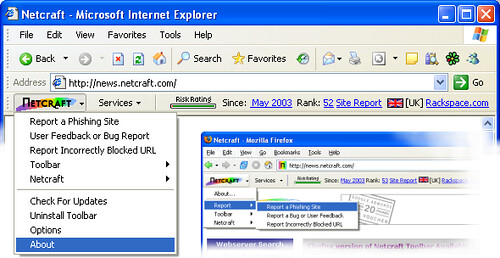
I remember some time back Netcraft developed an anti-phishing toolbar for Internet Explorer Exploder and Firefox.
You can check it out here:
- Protect your savings from Phishing attacks.
- See the hosting location and Risk Rating of every site you visit.
- Help defend the Internet community from fraudsters.
Then recently Google has come out with the Safe Browsing Extension for Firefox.
Google Safe Browsing is an extension to Firefox that alerts you if a web page that you visit appears to be asking for your personal or financial information under false pretences. This type of attack, known as phishing or spoofing, is becoming more sophisticated, widespread and dangerous. That’s why it’s important to browse safely with Google Safe Browsing. By combining advanced algorithms with reports about misleading pages from a number of sources, Safe Browsing is often able to automatically warn you when you encounter a page that’s trying to trick you into disclosing personal information.

Apparently Firefox 2 will include this anti-phishing technology, you can read more about the Safe Browsing Extension here.
There are various metrics you can use to sniff out Phishing sites such as local SSL certificates, domain names registered within the last 3 months, encoded URLS, redirects from Yahoo,
Google or AOL and so on.
Navaho Gunleg says
On a slightly related note, somebody I know pointed me to this recently: CustomizeGoogle, another Firefox extension with quite a lot of interesting settings to disable Google tracking and much more.
I have only briefly seen this running and have not used it myself as it doesn’t support the 2.0 alpha version I am running, but it’s plethora of configuration options really looked promising.