
[ad]
Handy Recovery is pretty neat software, there is occasions when I’m using Windows and I need to recover something or I’ve deleted something by mistake (I have a habit of using SHIFT+DEL so it’s not even in the recycle bin.
I usually use Active Undelete and was pretty happy with it, I got a chance to try out this software though and looked pretty cool.
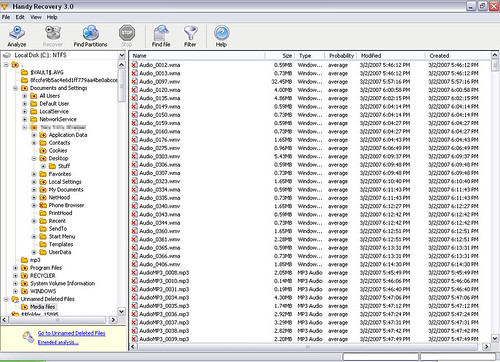
I have to say I do prefer Handy Recovery to Active Undelete, it’s faster, small (Only 876kb including installer) and the best part is it gives an actual probability of data recovery for each file.
Plus it has a pretty neat filter/search system for finding specific files if you don’t know their location. The program supports FAT 12/16/32, NTFS and NTFS 5 + EFS file systems. This tool can recover files from deleted and formatted partitions or create disk images for deferred recovery. It shows probability of successful recovery for each file and features in-depth disk scanning for certain file types. According to Microsoft, Handy Recovery turned out to be among the first 100 applications that have earned the “Certified for Windows Vista” logo.
The Interface is nice and simple and it runs through the analysis stage pretty quickly, it’s very easy to recover files (recommended to recover to a different partition to reduce chances of permanent data loss) and just takes a couple of clicks.
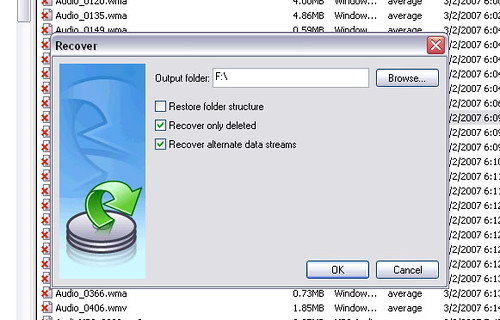
The trial version is limited to recover 1 file per day and can be download here:
There is also a freeware ‘lite’ version here:
Handy Recovery Lite
System Requirements
Windows 95/98/NT/2000/ME/XP/Vista
File systems: FAT12/16/32 or NTFS/NTFS 5.
You can purchase Handy Recovery here:
It’s pretty reasonably priced at $39US for 1-4 copies with discounts if you buy 5 or more.
Sypherknife says
Can you use this program without being logged in as an admin?
To find out, log in as your network administrator.
backbone says
I have tried the lite version of it and I can tell you it didn’t recover nothing… of course it recovered the filename and size but no data from it… do a simple test… copy some text in a file… save it, delete it permanently and then try to recover it… what have you got?